How to take a full page screenshot of a website on iPhone or iPad
- Open the pageOpen the web page in Safari, or in any app that can share a link.
- Share it to FullPageTap Share and choose FullPage. The capture happens right there, without leaving the page you are on.
- Let it renderFullPage loads the page offscreen, scrolls through it, and hides ads, cookie banners, newsletter pop-ups and app banners.
- Trim if you likeCut out any part you do not need, or remove an ad row, before you save.
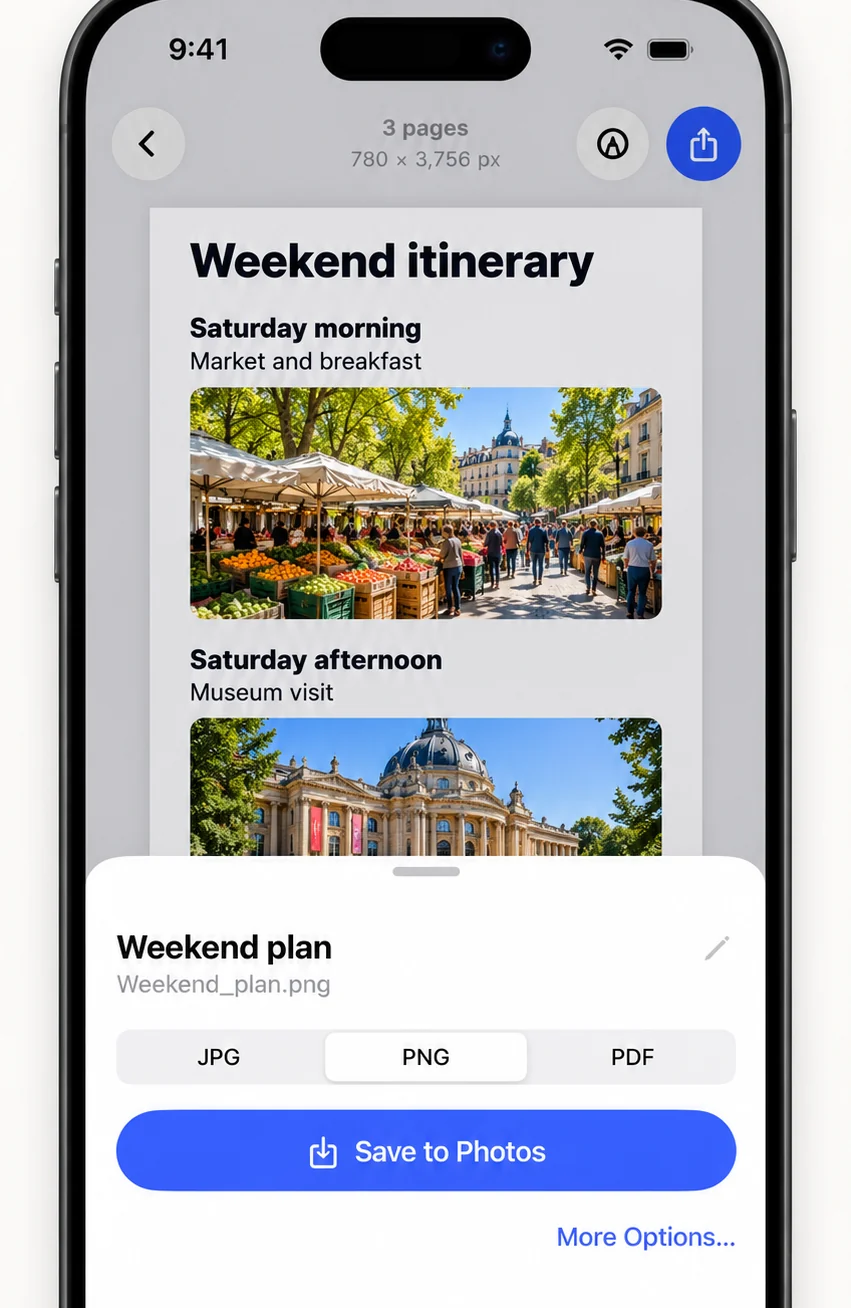
- SaveSave as PNG, JPG or PDF to Photos or Files.
What is a full page screenshot?
A full page screenshot, also called a full-page capture, webpage screenshot, website screenshot or entire page screenshot, records a web page from top to bottom as a single image. A normal screenshot only captures the part you can see on screen.
Why capture from the link instead of scrolling?
You skip the scroll-screenshot-stitch routine, and the page comes out cleaner than it looks in the browser.
- Ads, cookie and consent dialogs, newsletter pop-ups and app banners are hidden before capture.
- Sticky headers are flattened, so they do not repeat down the image.
- A vector PDF is saved alongside the image, so text stays sharp when you zoom or print.
- Wide ad slots become editable cuts you can remove in one tap.
FullPage vs. Safari’s Full Page PDF
Safari can save a full-page PDF of a web page, but not an image, and it keeps every ad and pop-up. FullPage gives you PNG, JPG and PDF, removes the clutter, and lets you cut out sections before saving.
When to use another method
Pages that need you to be signed in, and apps with no shareable link, may not load from a link. Capture those with a scrolling screen recording or overlapping screenshots instead.
Frequently asked questions
How do I take a full page screenshot in Safari on iPhone?
Open the page, tap Share, choose FullPage and tap Save. You get the whole page as one tall image and a PDF.
Can I save a full page screenshot as a PNG or JPG?
Yes. FullPage saves web page captures as PNG, JPG or a vector PDF, to Photos or Files.
Does it remove ads from the screenshot?
FullPage hides known ad networks, ad slots, cookie banners and pop-ups before it captures the page, so the result is cleaner than a normal screenshot.
Can I screenshot an entire web page on iPad?
Yes. The steps are the same on iPad: Share → FullPage → Save.
Last updated .